Makerz / Journal
Good product photos do one job: they let a shopper see the product clearly enough to trust buying it. This guide covers the shots every online store needs, how to light them, and how to keep a whole catalog looking like one brand.
Why product photos matter
Online shoppers cannot touch the product. The photos replace the shelf, the lighting and the salesperson. Clear, consistent images reduce doubt, and unclear ones create questions that cost you sales and support time.
The shots every product page needs
| Shot | What it shows |
|---|---|
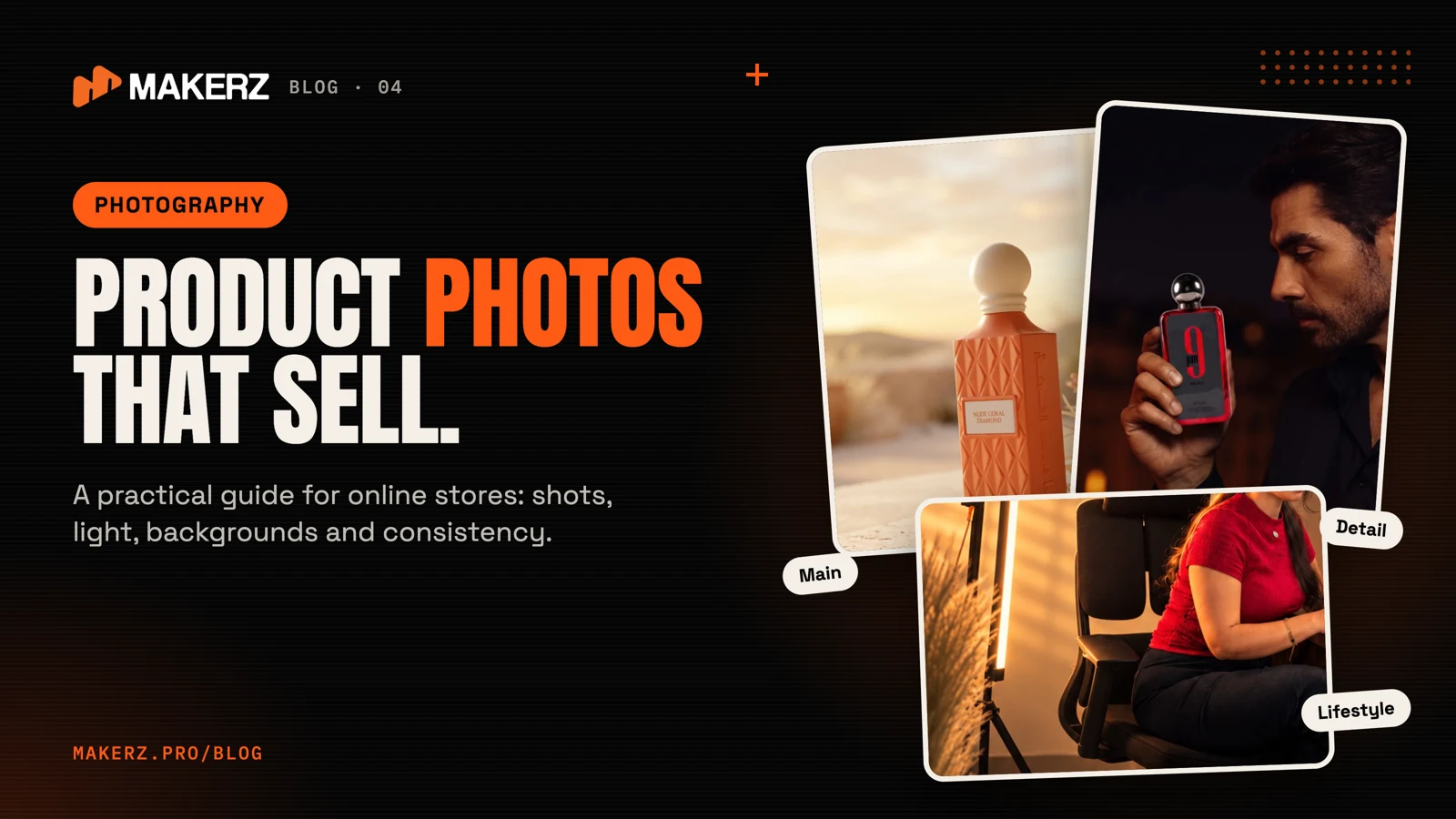
| Main image | The product alone, clean and centered, on a plain background |
| Angles | Front, back, side and top, so nothing is hidden |
| Detail close-ups | Texture, stitching, labels, materials and finishes |
| Scale shot | The product next to something familiar, or in a hand |
| Lifestyle shot | The product in use, in a real setting |
| Packaging | What the customer receives, especially for gifts |
Lighting basics
- Use soft light. A large, diffused source avoids harsh shadows.
- Control reflections. Glass, metal and glossy packaging need careful placement of the light.
- Keep the color true. A white background and consistent color temperature keep the product looking like itself.
- Add one accent light when you want depth, such as a back light that separates the product from the background.
Backgrounds and styling
Use plain backgrounds for the main image and for marketplaces that require them. Use styled scenes for lifestyle shots, but keep props simple so the product stays the hero. For food, perfume or cosmetics, color and light in the scene should echo the product itself.
Keep the whole catalog consistent
A store looks professional when every photo shares the same angle, crop, light and color. Decide these once and write them down, so new products match the old ones.
Prepare the files for the web
- Export at a size your store theme supports, then compress.
- Name files with the product name, not a camera number.
- Add descriptive alt text to every image, such as "gold perfume decant bottle on a marble stand".
- Keep a master set at full size for ads and print.
Mistakes to avoid
- Using a phone flash directly on the product.
- Mixing backgrounds and lighting across the catalog.
- Heavy retouching that changes the product's real color.
- Photos that hide the size of the product.
Phone or professional photographer?
A phone with good light can work for a small catalog. A photographer helps when you have many products, products that are hard to light such as glass and perfume, or when you need a consistent look across a large catalog and campaigns.
How Makerz shoots products
We plan the shot list first, light each product for its material, and keep one look across the catalog. Our product work has covered perfume, food and lifestyle scenes. Explore our photography and AI visuals services.
FAQ
How many photos does each product need? Enough to show every side and detail, plus one lifestyle image. Complex products need more.
Can you turn a plain product photo into a lifestyle scene? Yes, we can create lifestyle scenes from product photos with AI-assisted tools, and a person reviews every result.
What file format should I use for my website? Use the format your platform recommends, usually JPEG or WebP, and compress it so pages load quickly.
Need product photos for your store?
Send us your product list and we will propose a shot plan. Email support@makerz.pro or visit makerz.pro.
 YOUR NEXT / MAKERZ

FROM THE IDEA TO THE NEXT STEP
Plan photography around the product page
Prepare a consistent set of hero, detail, scale and usage images for each product. Match the background and lighting across the catalogue, then agree on image dimensions and file formats with your web team.